Step 2 · Claim on ChatGPT
How to Claim Your Business on ChatGPT (Business Hub, Canada 2026)
By Aaron Lim, founder of BB Media · Updated
Short answer
To claim your business on ChatGPT, sign in to Business Hub at chatgpt.com/business-hub, find or add your business, prove the connection by business phone, business email, a DNS TXT record on your website domain or a Shopify connection, then pass an identity check with Persona before you can publish changes and see insights.
As of November 26, 2026, Canadian online and ecommerce businesses are eligible to claim, while OpenAI's help centre still says local stores and restaurants can only claim existing U.S. listings. Claiming lets you control your facts, but OpenAI says it does not change your visibility in ChatGPT by itself.
What Businesses in ChatGPT and Business Hub are
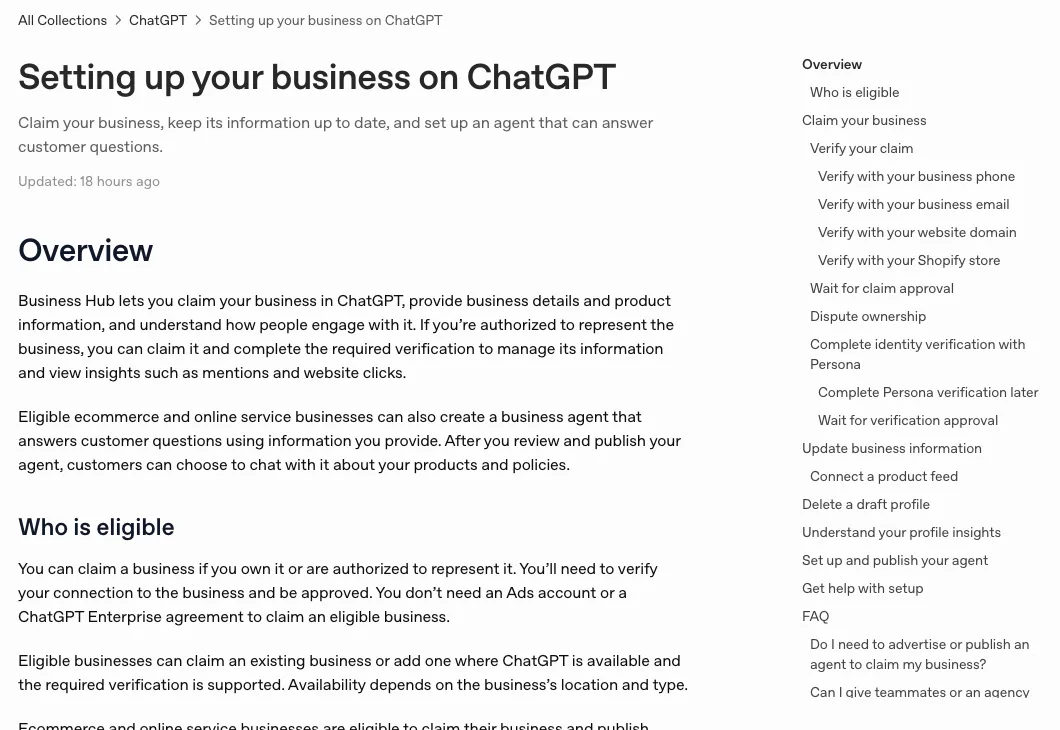
On November 10, 2026, OpenAI launched Businesses in ChatGPT in beta. The owner's side of it is called Business Hub. Through it, a business can claim its profile, manage the information ChatGPT shows about it, and see how often it comes up. OpenAI announced it in Introducing businesses in ChatGPT, with an overview on the Businesses in ChatGPT page and setup steps in the help centre article.
OpenAI also launched Business Agents, a chat agent that a business runs inside ChatGPT, starting with eligible U.S. ecommerce and online service businesses. A Business Agent can also be the destination of a ChatGPT ad, and sponsored placements are labelled. Claiming your profile and running ads are separate things: you do not need an ads account to claim.
Who can claim
- The owner, or someone authorized to represent the business. You must verify the connection and be approved by OpenAI.
- No ads account and no ChatGPT Enterprise agreement is needed. Existing enterprise customers and advertisers can also go through their OpenAI contact.
- OpenAI says availability depends on the business's location and type, and eligibility also depends on industry and on verification and integrity checks.
- Claiming is initially for eligible businesses with a website. If you do not have one, build that first.
- OpenAI's pages do not mention any fee for claiming. It is a beta, so treat pricing as something that could change.
As of November 26, 2026
Where Canadian businesses stand right now
This is the part most guides get wrong, so here it is plainly, dated, and based on OpenAI's own pages.
- Online businesses (ecommerce, online services). On November 19, 2026, OpenAI updated its announcement: ecommerce and online service businesses based outside the U.S. are now eligible to claim their business and publish agents. A Canadian online store can try to claim today. If it does not find its profile, it may see an option to add the business.
- Local businesses (stores, restaurants, clinics, salons). OpenAI's help centre says local stores and restaurants can currently claim only an existing U.S. listing. Officially, local claiming in Canada is not open yet.
- What people are seeing in practice. Some Canadian businesses have reported being put on a waitlist, and at least one agency in Vancouver has publicly reported claiming its existing local listing through domain verification and an ID check. Treat that as encouraging but unofficial.
Our advice: Our advice for Canadian local businesses: try to claim. If you are waitlisted, join the list, do the preparation work below, and check back each month. When OpenAI opens local claiming in Canada, you will be ready in minutes.
Step by step
How to claim your business on ChatGPT
- Prepare your facts. Have your exact business name, legal registered name, address, phone, website, description and logo ready. Our before you claim guide walks through it.
- Sign in with the right ChatGPT account. Use an account tied to a business email address you will keep, not a personal account of someone who might leave. You can add teammates later.
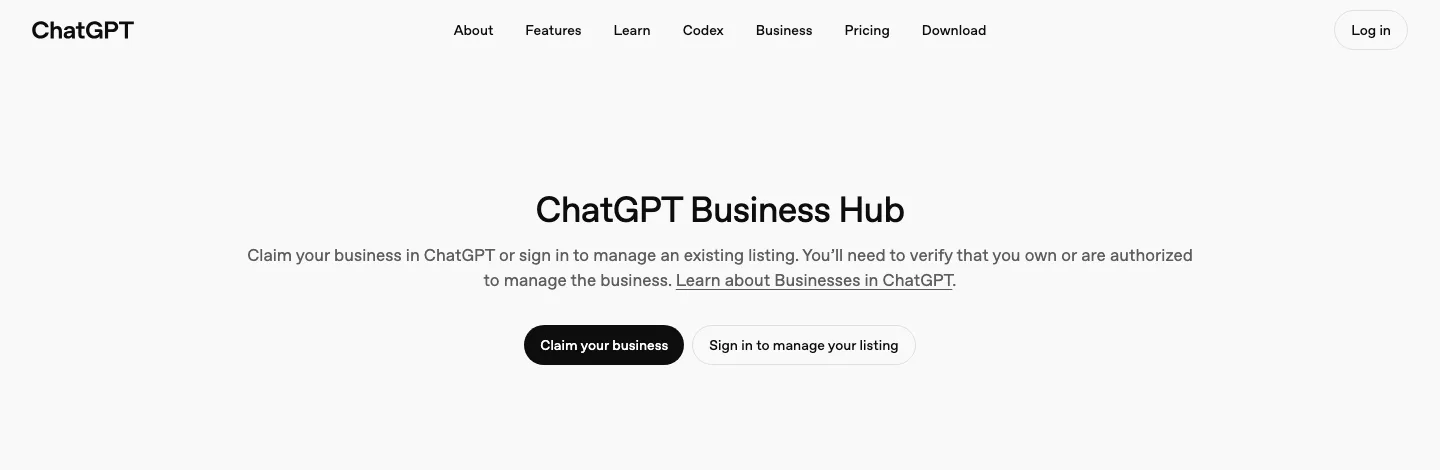
- Open Business Hub at chatgpt.com/business-hub and search for your business by name and location.
- Pick your listing, or add your business. If the right listing appears, select it. If you are an eligible online business and it does not appear, you may see an option to add it. If you see a waitlist instead, join it.
- Verify your connection. Choose one of the methods offered for your listing (they vary): phone, email, website domain or Shopify. Details are in the next section.
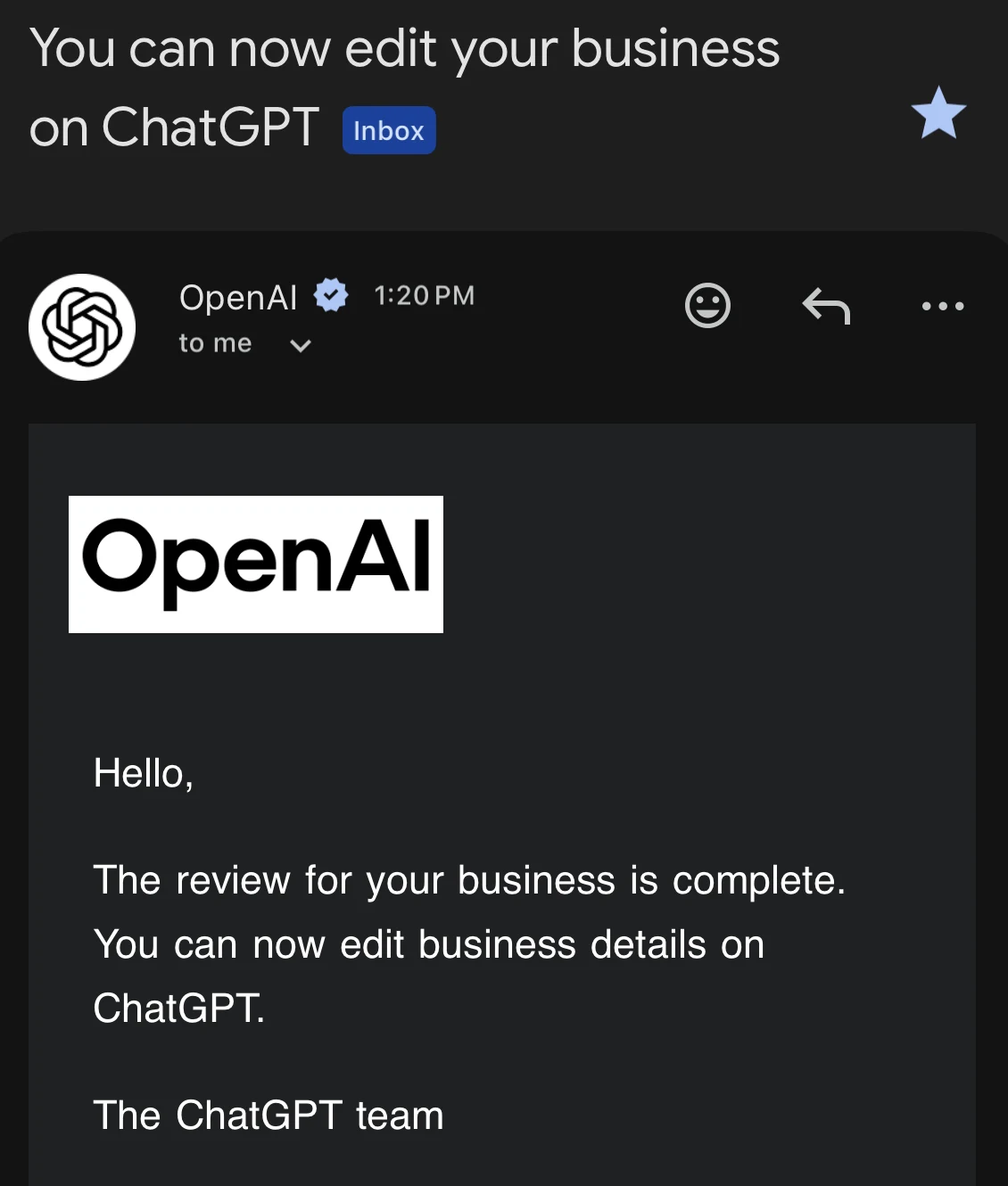
- Wait for OpenAI's review. OpenAI reviews the claim and emails you a decision.
- Complete identity verification with Persona. This is required before you can publish changes, see insights, connect a product feed or create an agent.
- Edit and submit your profile. Fill in every field from your facts sheet. OpenAI reviews changes before they go live.
- Add your team or agency. The admin who claimed the business can add teammates and grant agency access. Each person uses their own ChatGPT account, so never share passwords.
Verification options, including DNS TXT
OpenAI decides which methods appear for each listing. You may see some or all of these:
- Business phone: a text message or automated call with a code to the number on the listing. Make sure someone can answer it.
- Business email: a code sent to a business email address. An address at your own domain (info@yourbusiness.ca) is more convincing than a free webmail address.
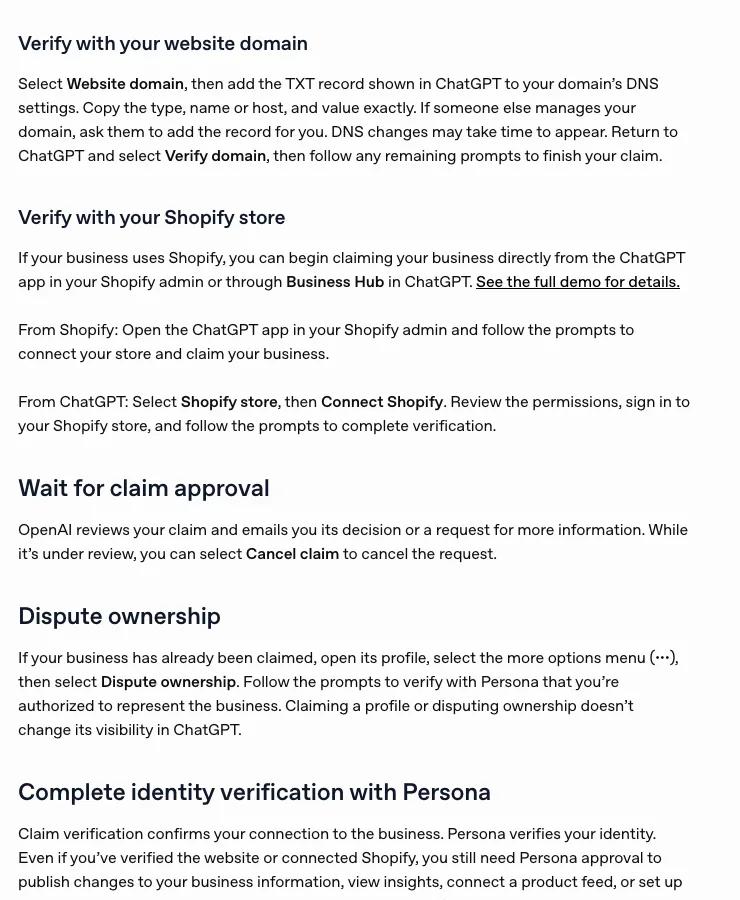
- Website domain (DNS TXT record): you prove you control your website's domain by adding a short text record that OpenAI gives you.
- Shopify store connection: for Shopify merchants, connecting the store proves ownership and lets ChatGPT reuse your product catalog.
How to add the DNS TXT record. Find out where your domain's DNS is managed. It is usually your domain registrar, your web host or a service like Cloudflare, and it is not always the same company that built your website. Log in, open the DNS settings for your domain, and add a new record of type TXT. For the host or name field use the value OpenAI shows (often the root of the domain, written as @). Paste OpenAI's value exactly, save, then go back to Business Hub and confirm. DNS changes can take a little while to be visible.
Two warnings. Never delete or edit your existing TXT records, because they often hold email security settings (SPF, DKIM, Google or Microsoft verification) and removing them can break your email. And if an agency manages your DNS, ask them to add the record rather than handing out your registrar password.
The Persona identity check and the verified badge
After your claim is approved, OpenAI asks you to verify your identity through Persona, a verification provider. You may need a government issued ID, business registration information and proof that you are authorized to act for the business. Use the legal registered name of the business, and put your trading name in the DBA (doing business as) field. In Ontario, your Master Business Licence or articles of incorporation usually show both.
OpenAI's help centre says the verified badge appears after the Persona check is approved, and that claiming alone doesn't add it. OpenAI's marketing page describes the blue check slightly differently, so go by the help centre.
If someone else has already claimed your business, OpenAI has a dispute ownership process that also runs through Persona. Note that OpenAI support cannot delete or unpublish a published profile, so keep your claim under an account the business controls.
What you can edit
- Website
- Business description
- Product or service category
- Logo and cover photo
- Delivery policy and return policy (for businesses that sell online)
- Other optional details
- A product feed, uploaded as a CSV file or a hosted URL, or reused from your Shopify catalog
Write the description the way you would explain your business to a new customer in two or three sentences: what you do, for whom, where, and what is different about you. Use the same words as your website and Google profile. Avoid slogans and superlatives you cannot back up; ChatGPT is comparing you with other sources anyway.
Remember OpenAI's line that ChatGPT may also use other sources when answering questions about your business. Your profile is one input, not the only one, which is why your website and other listings must say the same thing.
What the insights show
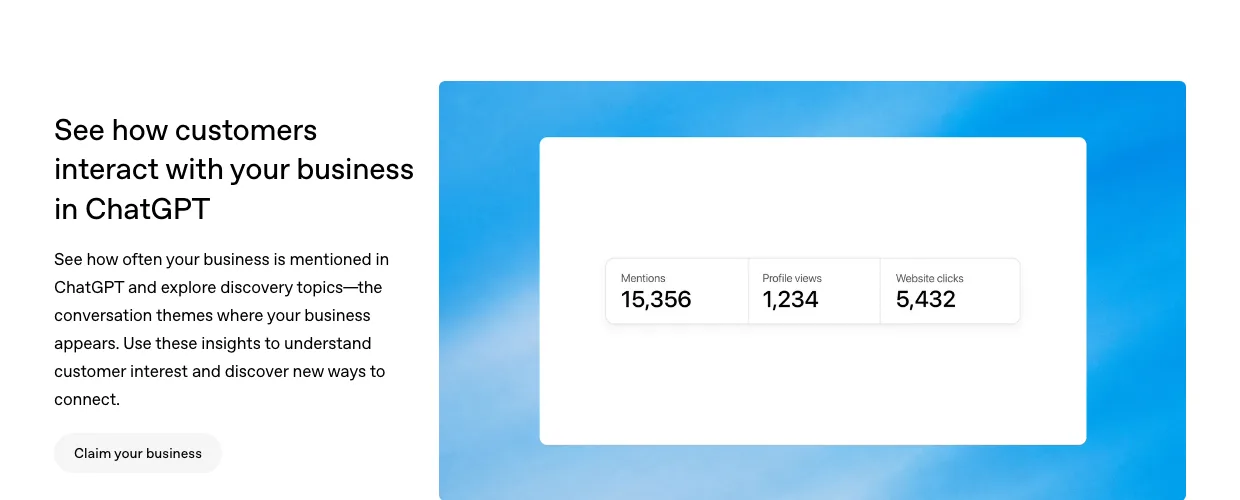
Once you pass the ID check, Business Hub shows aggregate numbers for the past 28 days:
- Mentions. For an online business, a mention counts when ChatGPT references your website; your brand name alone does not count. For a local business, it counts when ChatGPT shows a result for that location.
- Website clicks from ChatGPT to your site.
- Discovery topics: the themes people were asking about when you came up, not the actual prompts.
- OpenAI's announcement also mentions profile views.
OpenAI does not share individual prompts or conversations. Thresholds apply, so a blank figure does not mean zero, only that there is not enough data to show. Our measuring guide shows how to combine these with Google Analytics and your own monthly prompt test.
Be realistic
What claiming does and does not do
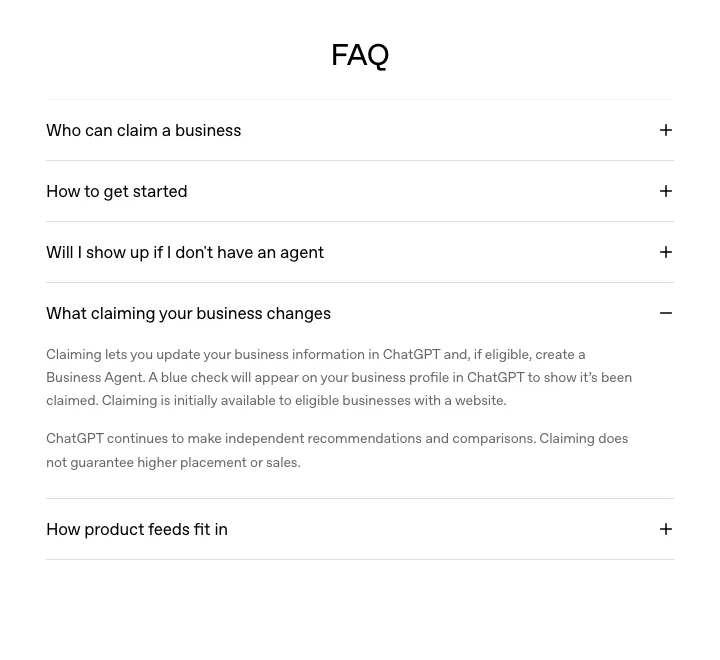
OpenAI's own words are the best summary: claiming a profile or disputing ownership doesn't change its visibility in ChatGPT, ChatGPT continues to make independent recommendations and comparisons, and claiming does not guarantee higher placement or sales. Connecting a product feed doesn't guarantee recommendations either.
What claiming does give you: control over the facts ChatGPT shows from your profile, a verified badge once your ID is approved, the only first party ChatGPT visibility numbers available, and the option to add an agent later where eligible.
What drives whether ChatGPT brings you up is everything else: how clearly your website answers real questions, whether search providers can read it (ChatGPT search needs OpenAI's crawler, OAI-SearchBot, to be allowed), how consistent your facts are across the web, and what reviews and third party sources say about you.
What to do while you wait
If you are a local Canadian business on the waitlist, or your claim is in review, this is the work that helps either way:
- Make your facts consistent everywhere (preparation guide).
- Claim and complete your Google Business Profile.
- Claim Bing Places and Apple Business, which most competitors skip.
- Claim your free Yelp business page. Yelp and OpenAI were reported in July 2026 to have signed a data licensing deal for reviews and business info; whether it covers Canadian listings has not been announced.
- Check your robots.txt and firewall allow OAI-SearchBot, then work on content AI can quote (website guide).
- Record a baseline with the free AI visibility check so you can see what changes once you are claimed.
Next step: Google Business Profile
Google Business Profile is still the most important local listing in Canada, and Google says it uses Business Profiles in its own AI answers. Continue with Google Business Profile for AI search, or return to the complete guide.
Proof, not promises
We test it on our own business first
AI search on our own site
AI answers already send us real buyers. From August to November 2026, ChatGPT, Gemini and Perplexity sent bbmedia.ca 27 to 55 visits a month, and 9 real enquiries came to us through AI search.
Voted by the community
Voted #1 (Platinum) in Social Media Marketing and in Digital Marketing, Community Votes Markham 2026
Brands we have worked with (some of them)
- Meet Fresh
- Ten Second Noodle
- Hazukido
- QJD Peking Duck
- Gyumono
- 6 Cloud
- Noon Moment Bubble Tea
- Bento 886
- Sarang Kitchen
- Yue Spa
- Water Sense Spa
- Bliss Head Spa
- PlayPlex Game
- Paragon Badminton
- Vision Badminton
- Exact Sciences Canada
Launches we ran for clients were covered by CBC, CTV News Toronto, Toronto Life, blogTO, NOW Toronto, Streets of Toronto, Taste Toronto. See the work →
How BB Media handles ChatGPT for you
We claim and verify your business on ChatGPT where it is open, add the DNS record on websites we host, prepare the Persona documents with you, write the profile from your facts sheet, and add ourselves through agency access so you keep ownership. Where local claiming is not open yet in Canada, we do the work that already counts: listings, reviews, website and content.
BB Media is a full service team in Markham serving the GTA and Canada. Our own site already gets real buyers from AI answers; see our AI search results. BB Media was voted #1 (Platinum) in Social Media Marketing and in Digital Marketing at Community Votes Markham 2026, and launches we ran for clients such as Meet Fresh, Ten Second Noodle, QJD Peking Duck, Hazukido and PlayPlex Game have been covered by CBC, CTV News Toronto, Toronto Life, blogTO and NOW Toronto. See the portfolio.
- Phone: +1 647-886-3125
- Email: sales@brandboosty.ca
- BB Media (BrandBoosty Inc.), 620 Alden Rd Unit 208, Markham, ON L3R 8B5, Canada. We work with brands across the GTA and Canada.
- Monday to Friday, 9:30 AM to 5:30 PM Eastern
FAQ
Is claiming my business on ChatGPT free?
OpenAI's official pages do not mention any fee, and you do not need an ads account to claim. It is a beta launched in November 2026, so pricing could change later.
Can a restaurant or store in Toronto claim its ChatGPT listing?
Officially not yet. As of November 26, 2026, OpenAI's help centre says local stores and restaurants can only claim existing U.S. listings. Some Canadian businesses report being waitlisted and a few report successful claims. Try, and join the waitlist if offered.
Can a Canadian online store claim its business on ChatGPT?
Yes. Since November 19, 2026, ecommerce and online service businesses based outside the U.S. are eligible to claim. You still need to verify ownership and pass the Persona identity check.
Will claiming make ChatGPT recommend my business?
No, not by itself. OpenAI says claiming doesn't change visibility and doesn't guarantee higher placement. It gives you control of your facts and insights. Recommendations depend on your website, reviews and other sources.
What documents does the ChatGPT identity check need?
Persona may ask for a government issued ID, business registration information and proof that you are authorized to represent the business. Use the legal registered name and put your trading name in the DBA field.
Can my agency claim the business for me?
The best setup is that you or a manager claim under a business controlled account, then grant your agency access in Business Hub. That way the business never loses control of its profile.
Where does ChatGPT get local business information?
OpenAI says ChatGPT search uses third party search providers and may share location with trusted partners for nearby business listings, and reservation availability can come from OpenTable, Resy or Yelp. OpenAI has not published a full list of local data sources.